Mocap Studio

Mocap Studio is an application I began building while collaborating with Dan Weller for an animated sketch comedy series we are making together. The goal is a workflow fast enough for two people to make an animated show in a week. I’m preparing a larger breakdown of our project but for now I’m just documenting Mocap Studio.
The reference is the “Emotion Capture” process from Rango, where the cast performed scenes together on a stage and the animators worked from that footage rather than an isolated booth read. We wanted the same idea at a much smaller scale: sit down, do a table read, and walk away with animation data.
Nothing in the pipeline “invents” a performance. It uses machine learning purely for recognition — working out what a real face did and what a real voice said.
The phone is the capture rig
Mocap Studio Action runs ARKit face tracking on the front depth camera and records the performance with audio. No marker suit, no green screen, no stage — a phone on a stand in front of whoever is reading.
The data rides inside the picture
All fifty-two blendshape channels are drawn under the camera feed as a grid of grey squares, one cell per channel, and burned into the recording itself.
It reads as decoration and it is really a wire format. The camera image, the face pose and the timestamp arrive from ARKit as one atomic set, so a cell provably describes the same instant as the picture beside it and the audio underneath it. There is no second file to keep in step, and no drift to fix later, and no client-server connection required.
Drag in a take
Recordings come off the phone as ordinary QuickTime files. Drop one on the window and it opens — every capture carries a signature in its metadata, so the app can tell its own footage from any other video you hand it.
One timeline on the Mac
The desktop app puts everything on a single timeline: the video, the fifty-two channels, a transcript from Whisper, and the mouth shapes generated from both.
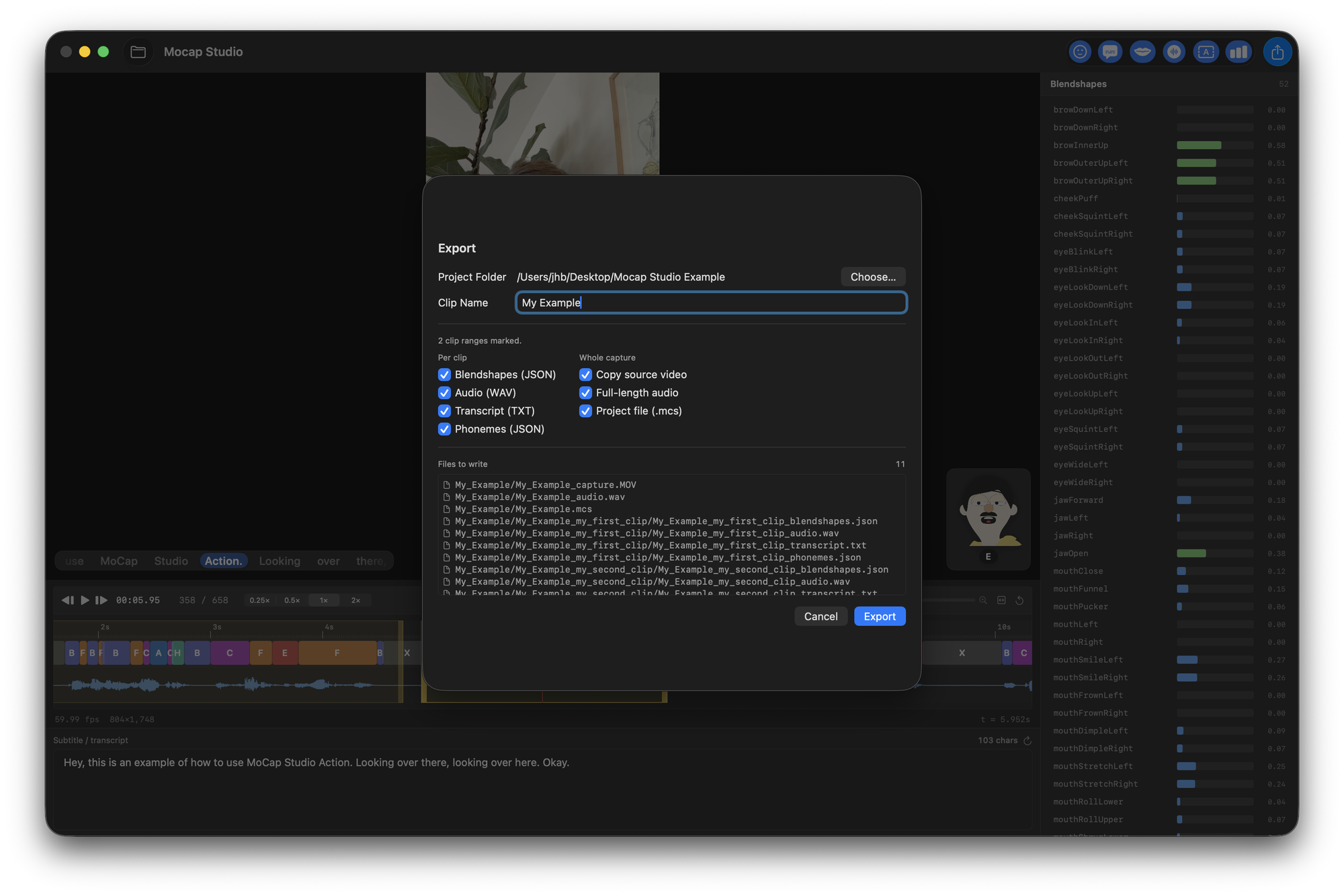
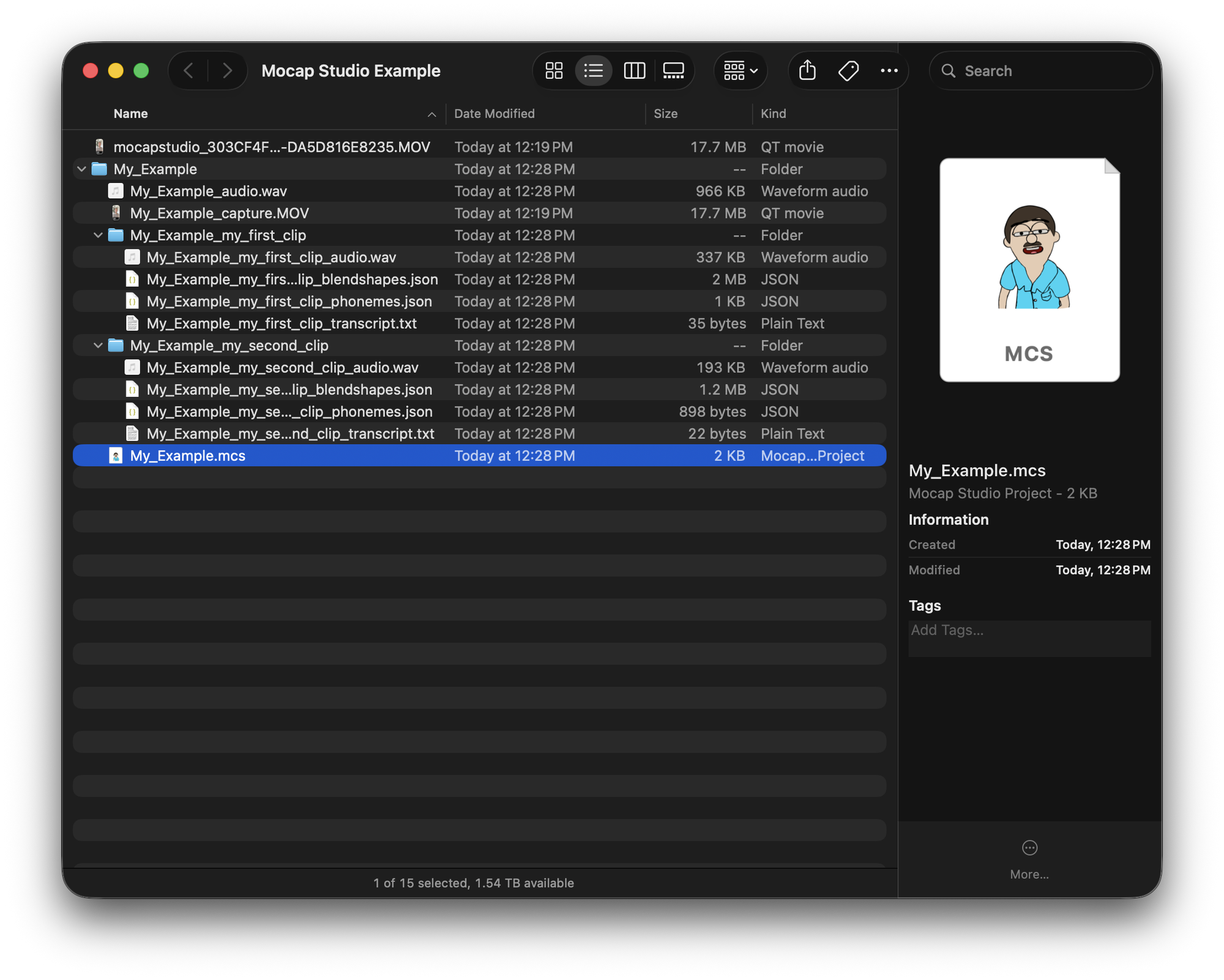
Mark the ranges worth keeping and each one exports as its own folder — blendshapes, phonemes, audio and transcript, side by side and named for the clip.
Pick how hard it thinks
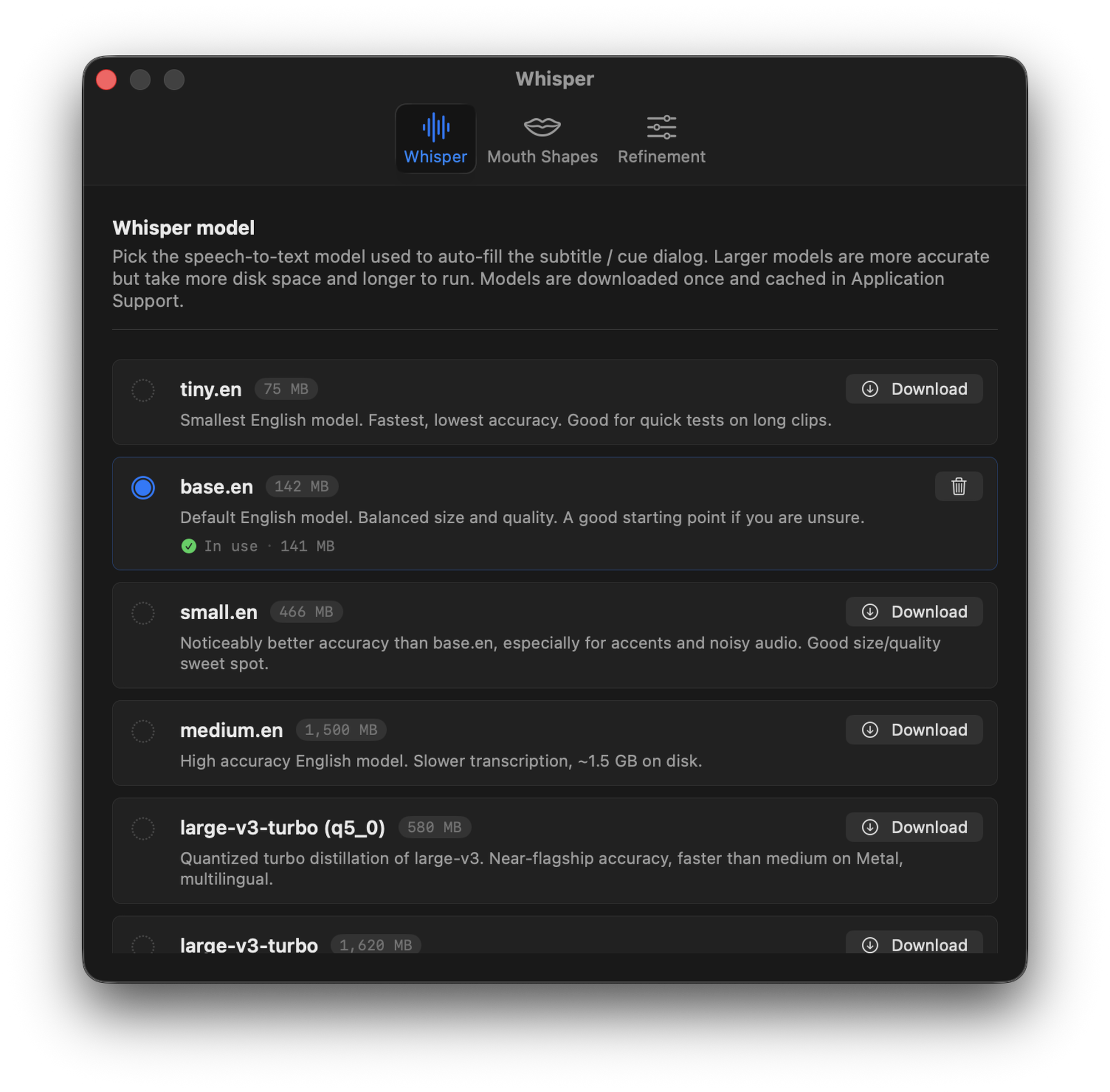
Whisper runs on the machine, and which model it runs is a per-project choice: a small one to skim a long take, a larger one when the read has accents or the room was noisy. They download on demand and the user can switch models at any time.
Letting the face check the audio
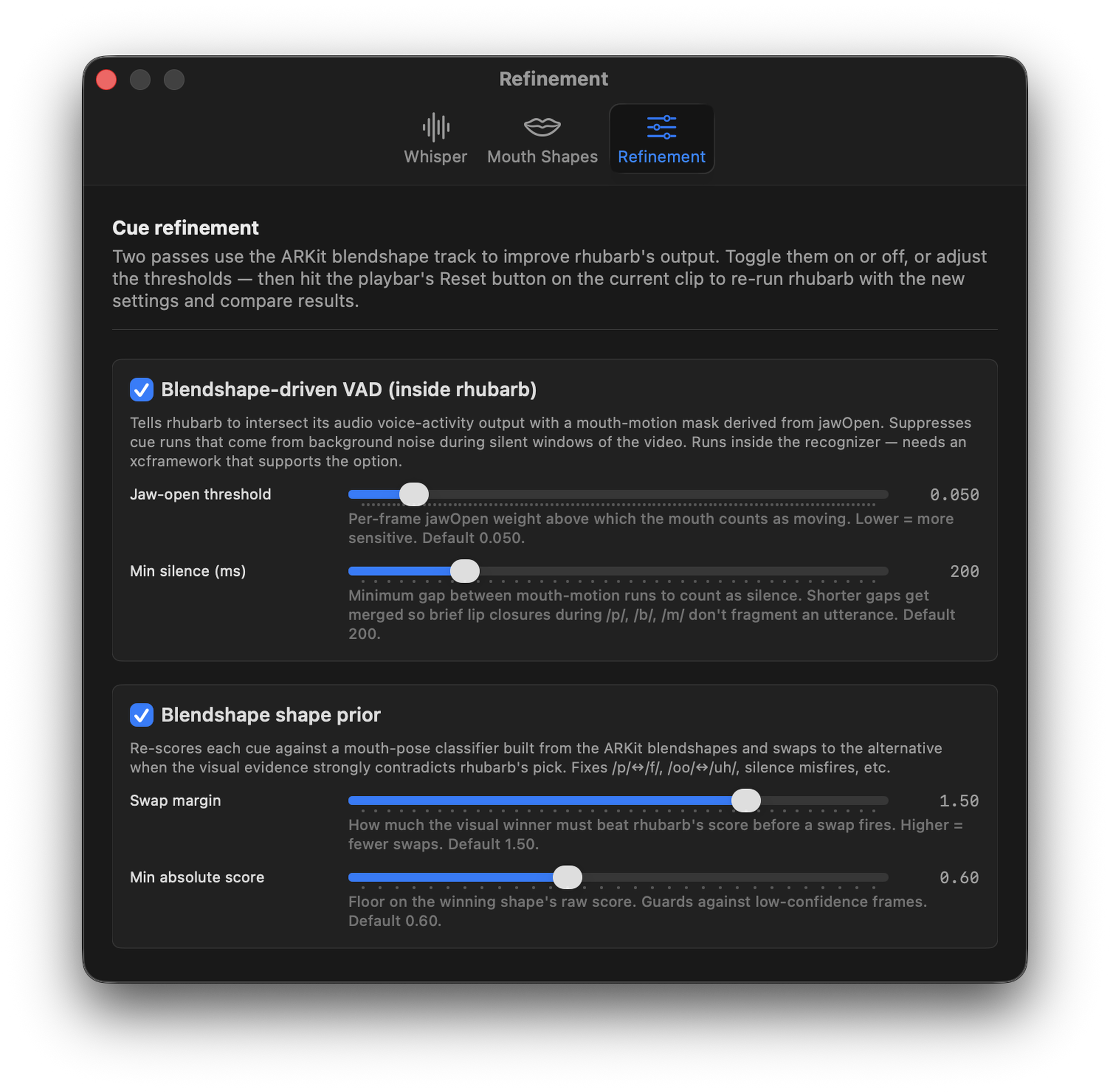
Mouth shapes come from a heavily reworked fork of Rhubarb Lip Sync, which guesses from sound alone. Since we already have the face, we can hold its guess up against what the face was actually doing.
Two passes use the blendshape track to correct it: one suppresses cues invented from background noise while the mouth was closed, the other re-scores each shape and swaps it when the visual evidence clearly disagrees. Both are adjustable, and you can re-run a clip to compare.
Your character, not a stand-in
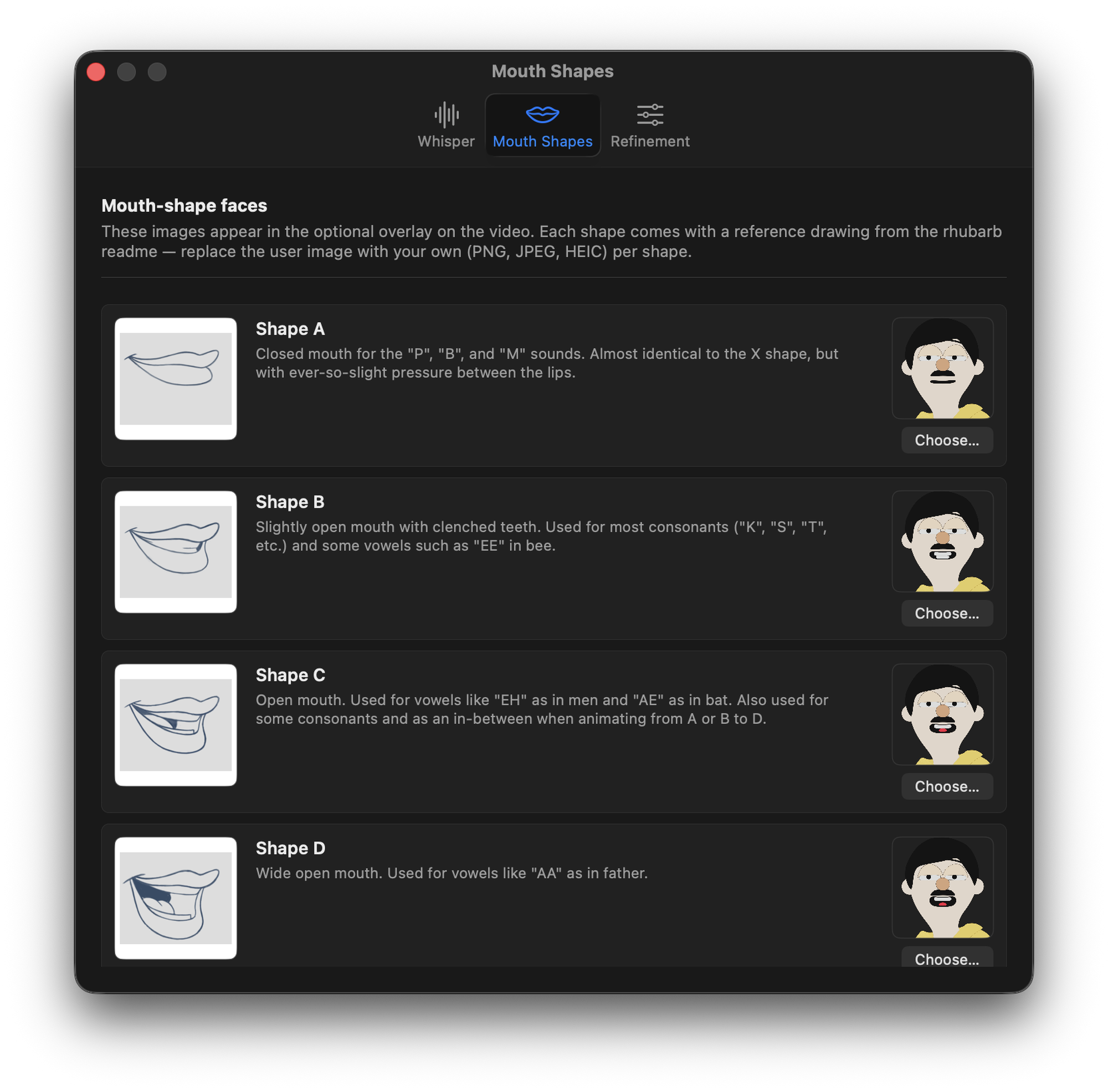
The overlay that previews each mouth shape ships with rhubarb’s reference drawings, and any of them can be swapped for your own artwork — so you are watching your character say the line while you check the timing.
Everything is a panel
The toolbar turns each part of the window on and off — the blendshape readout, the mouth-shape overlay, the cue lane, the transcript — so it can be stripped back to whatever you are actually looking at.
What gets written
A few checkboxes decide what lands on disk, per clip and for the capture as a whole, and the dialog lists every file before it writes them.
Somewhere to leave off
Clip ranges, names and settings save to the app’s own project file, so a session opens back up where it was rather than starting from the raw take again.
Out to the DCC
The export is plain JSON and WAV, so it lands anywhere. We use Houdini, where a single node reads a clip folder and drives the character — face, phonemes and audio arriving already in sync because they were never separated.
Big Rick’s
The first sketch, written by Dan Weller, voiced by Dan Weller and Magda Cychowski, and animated with everything above.